PRODUCTS / CLUBOPS
ClubOps
Every club shift.
One shared workspace.
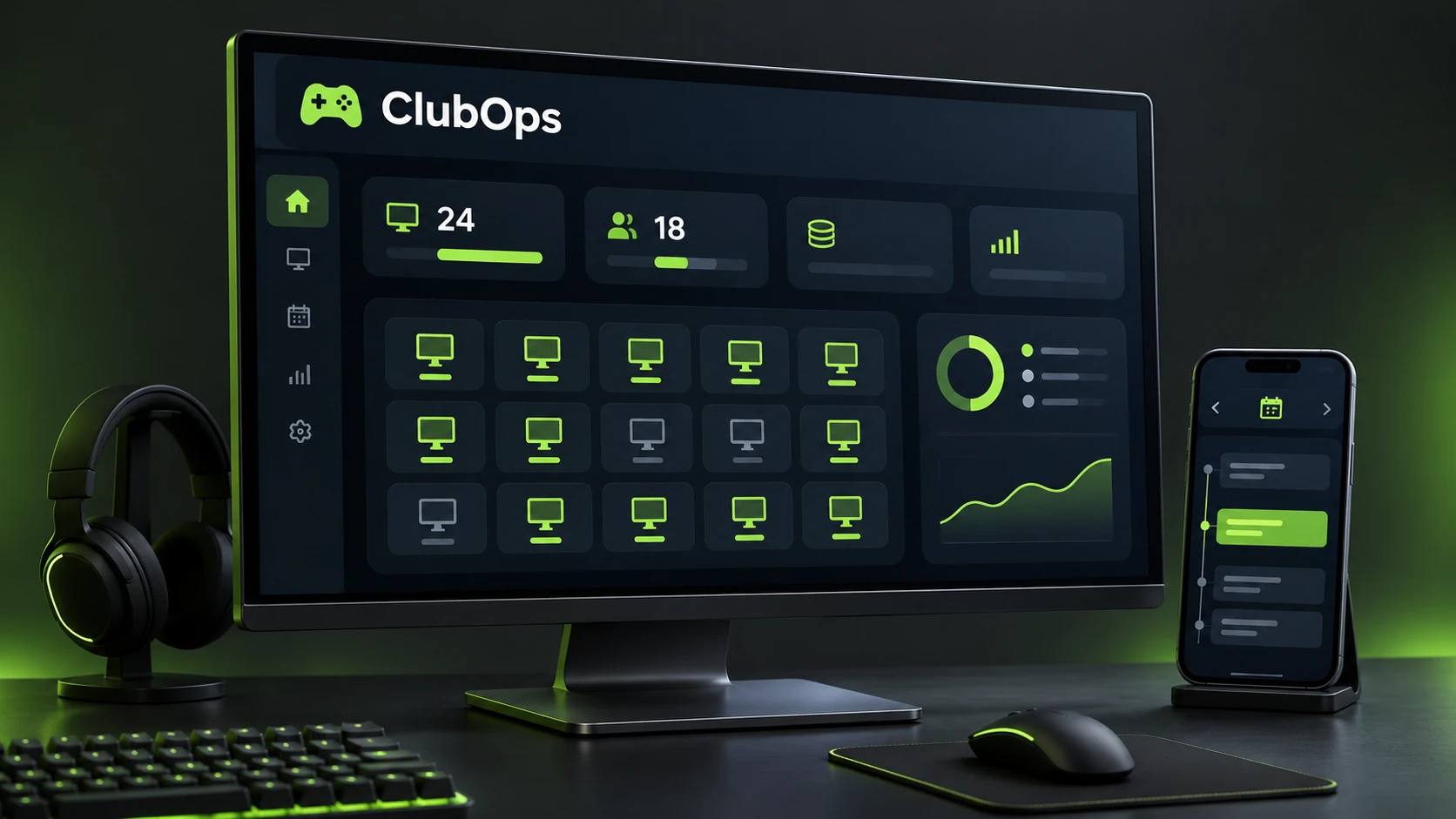
ClubOps connects the daily operations of a gaming club, from employee check-in to the manager’s shift report. Tasks, cleaning, equipment, schedules and payroll live in one workspace.
- My role
- Product · UX/UI · development
- Platforms
- Web · PWA · Windows
- Context
- 38 PCs and 2 PlayStations
- Year
- 2026
WHERE THE IDEA STARTED
More work.
More than a chat can hold.
A gaming club has many processes running at once. Staff hand over shifts, report broken equipment and request schedule changes. Managers piece together reports and staff bar purchases from spreadsheets and messages.
I brought these workflows into ClubOps. Employees can follow their shift duties, while managers get an overview of the club, an activity history and reports for a selected period. The idea grew out of everyday work in a gaming club.
THE MANAGER’S WORKSPACE
Open it.
See what needs attention.
See who checked in, which PCs need attention, how cleaning is progressing and which reports await review. The workflow begins with a shared overview.
THE SHIFT WORKFLOW
From check-in
to handover.
Confirm arrival
Staff scan the QR on the work PC with their phone. The server records the actual time and compares it with the published schedule.
Complete the work
Checklists, tasks and cleaning assignments appear in the shift. Updates from the phone reach the work PC and the manager’s account.
Close the shift
Staff fill in a report, reconcile cash and add photos of receipts, the fridge and the stockroom. The manager reviews the result.
EQUIPMENT WORKFLOWS
Every workstation
has a history.
A QR label connects a physical workstation with its record. Staff can report a problem immediately and confirm cleaning for that specific PC.
The club map
38 PCs and 2 PlayStations organised by zone. A workstation record shows its condition, maintenance requests and cleaning history.
Confirmed cleaning
Five places are assigned per shift in a repeating cycle. Each is confirmed individually. Managers see missed places and overdue assignments and can reassign them.
ON THE PHONE AND WORK PC
One shift.
Connected screens.
The phone follows the employee around the club. The Windows app shows shift duties on the work PC, and the browser gives managers access to club operations.
- The PWA can be added to the phone’s home screen.
- Staff see their schedule, next shift and earnings.
- Notifications cover tasks, chat messages and upcoming shifts.
CONNECTED WORKFLOWS
The details that matter
every day.
Schedules and cover
Day shifts run 10:00–22:00 and night shifts 22:00–10:00. Availability requests, shift swaps and manager approval support planning.
Tasks and checklists
Assignments have an owner, deadline and priority. Customisable checklists keep recurring duties visible.
Reports and reconciliation
Payments, expenses, refunds, cash collection and closing cash. Photos, review, corrections and version history support each report.
Staff bar
A product catalogue with costs, stock and restocking. Employee purchases feed into their payroll calculation.
Payroll
A shift rate and configurable commission on bar sales and services. Earnings, purchases, adjustments and recorded payouts are tracked together.
Chat and notifications
Replies, mentions and workstation references keep the team’s operational discussions in context.
AFTER EACH SHIFT
Numbers.
With supporting evidence.
Individual shift reports feed into a monthly overview. Managers can review amounts and discrepancies, inspect photos and follow the report’s revision history.
The team schedule
Calendar dates, day and night shifts, and a published schedule for the team.
PRODUCT STRUCTURE
Shared data.
Role-based access.
The server validates permissions and operational actions. The data model includes organisations, clubs, zones, equipment and employees, supporting further SaaS development.
The web interface, mobile PWA and Windows application use one server. The project uses Node.js, SQLite, JavaScript and .NET to connect operations, reports and confirmations.
PROJECT PRESENTATION
ClubOps in motion.
THE RESULT
A club workflow.
A working product.
ClubOps grew from a cleaning automation idea into a system for shifts, equipment, reports and payroll. The service has been launched for testing in a club and continues to evolve around real operational situations.
An account is required to access the working service.
MORE WORK
Explore projects ↗